 PolyField
Beyond the field
PolyField & Track Displays
Our scoreboard software links with photo finish systems to bring modern displays to the track. No internet connection required.
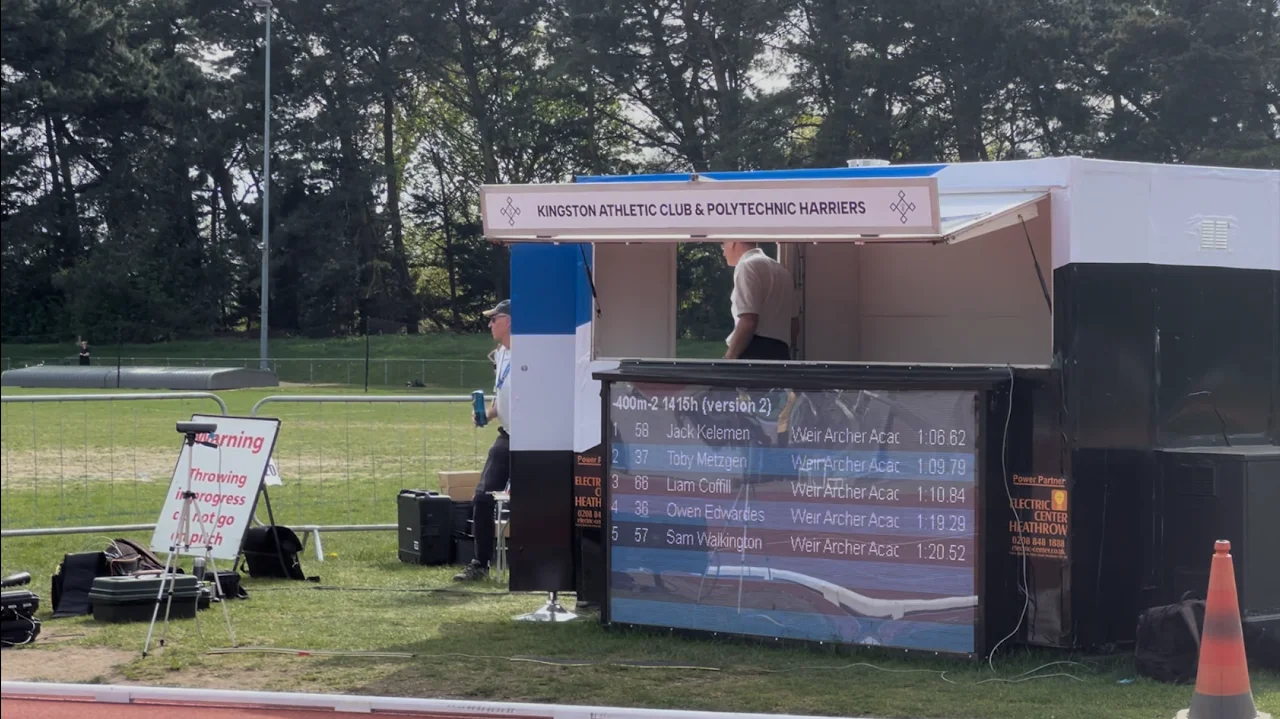
Link to photo finish
Race results with minimal setup
Results flow straight from FinishLynx and TimeTronics with minimal configuration. FinishLynx can also send the start list, running clock and wind.
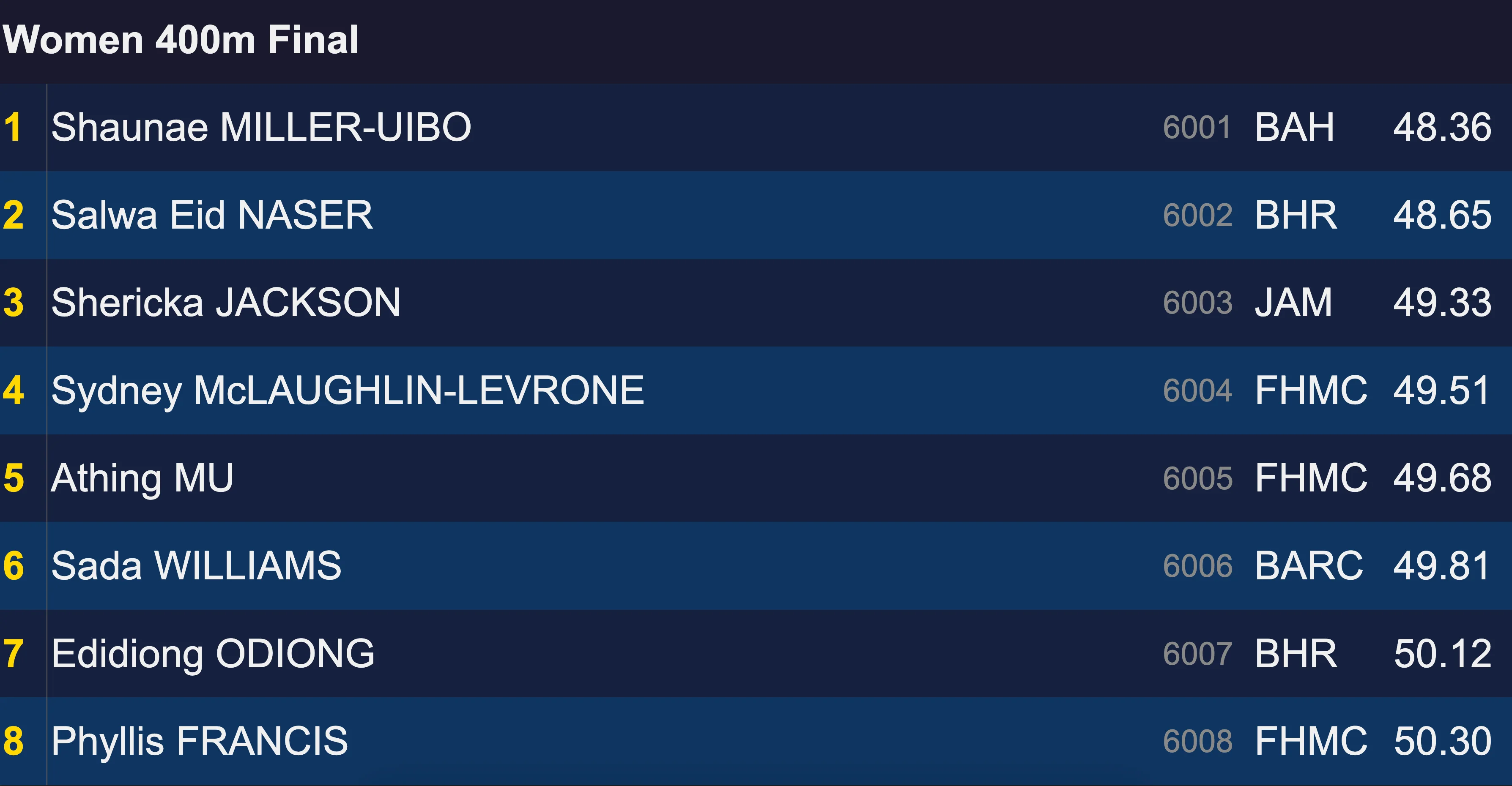
Spectator engagement
The result appears on screen as soon as you save the photo finish file. The scoreboard resizes to fit any display and is smart about which data it shows.

Announcements and overlays
Show text, a sponsor screensaver, the photo-finish line view, a full-screen clock or a countdown to the next event, several at once if you like. There's no need to remember to switch back: the next saved result returns every screen to results.
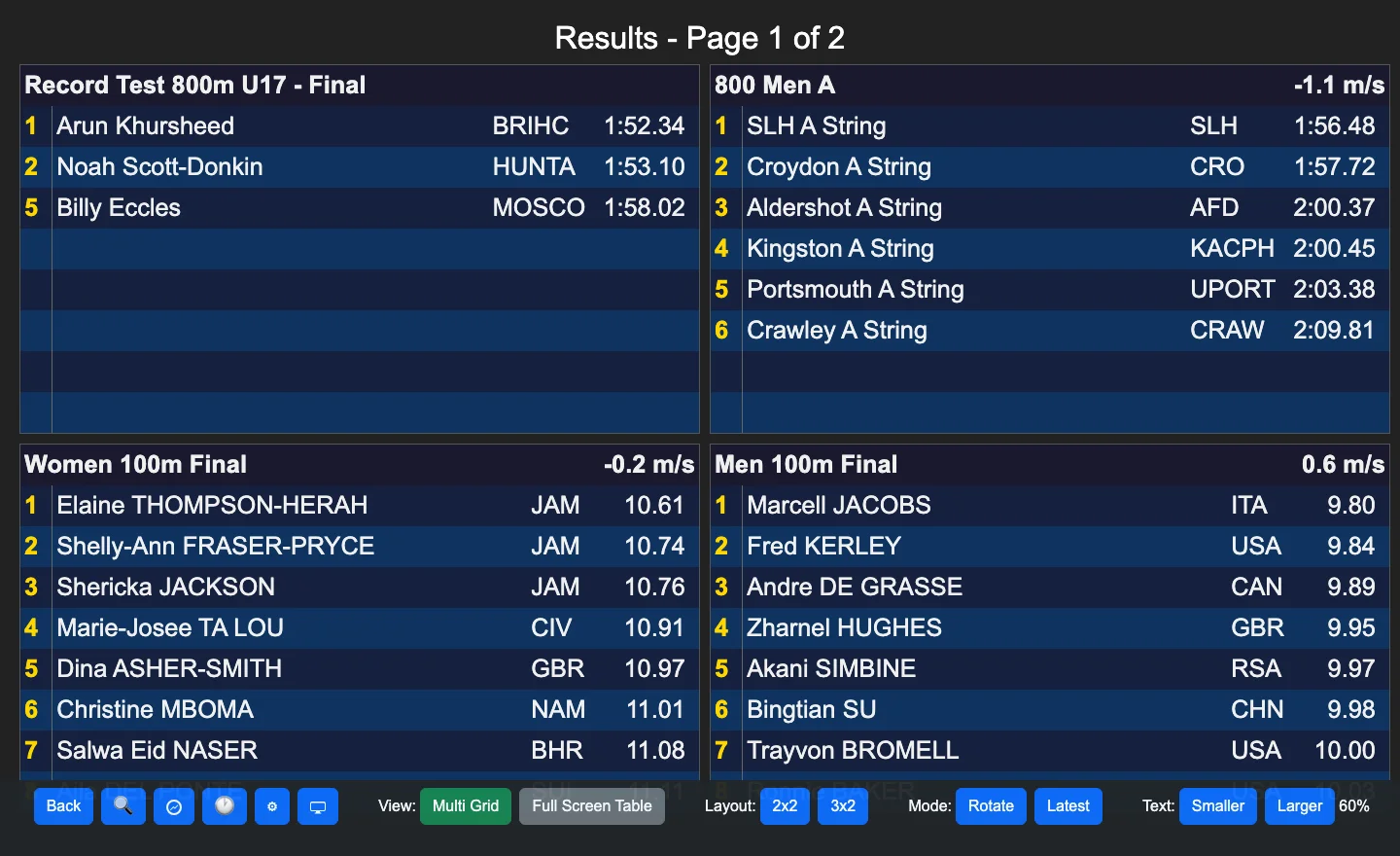
Flexible
Display on any device on the same dedicated local network, in any web browser, with no internet needed. When a race has more than 8 athletes, choose how they show: hold the top 3 and scroll the rest, page through 8 at a time, or scroll everyone.
Screen control
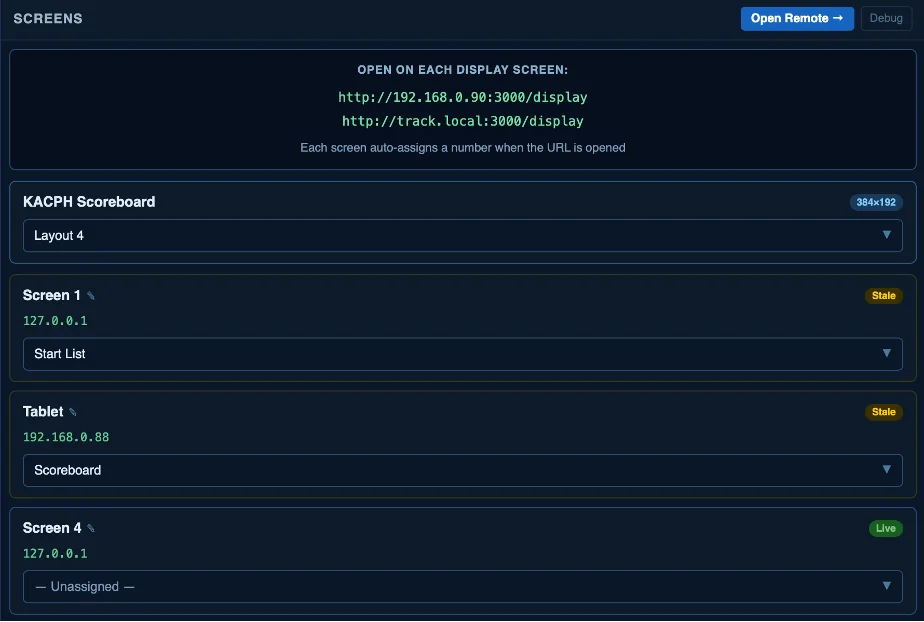
Connect up to 100 screens from one installation, with one licence per stadium. Every screen is numbered automatically. Assign any layout to any screen, and control it all from the desktop or from a second device on the network.
Layout Builder
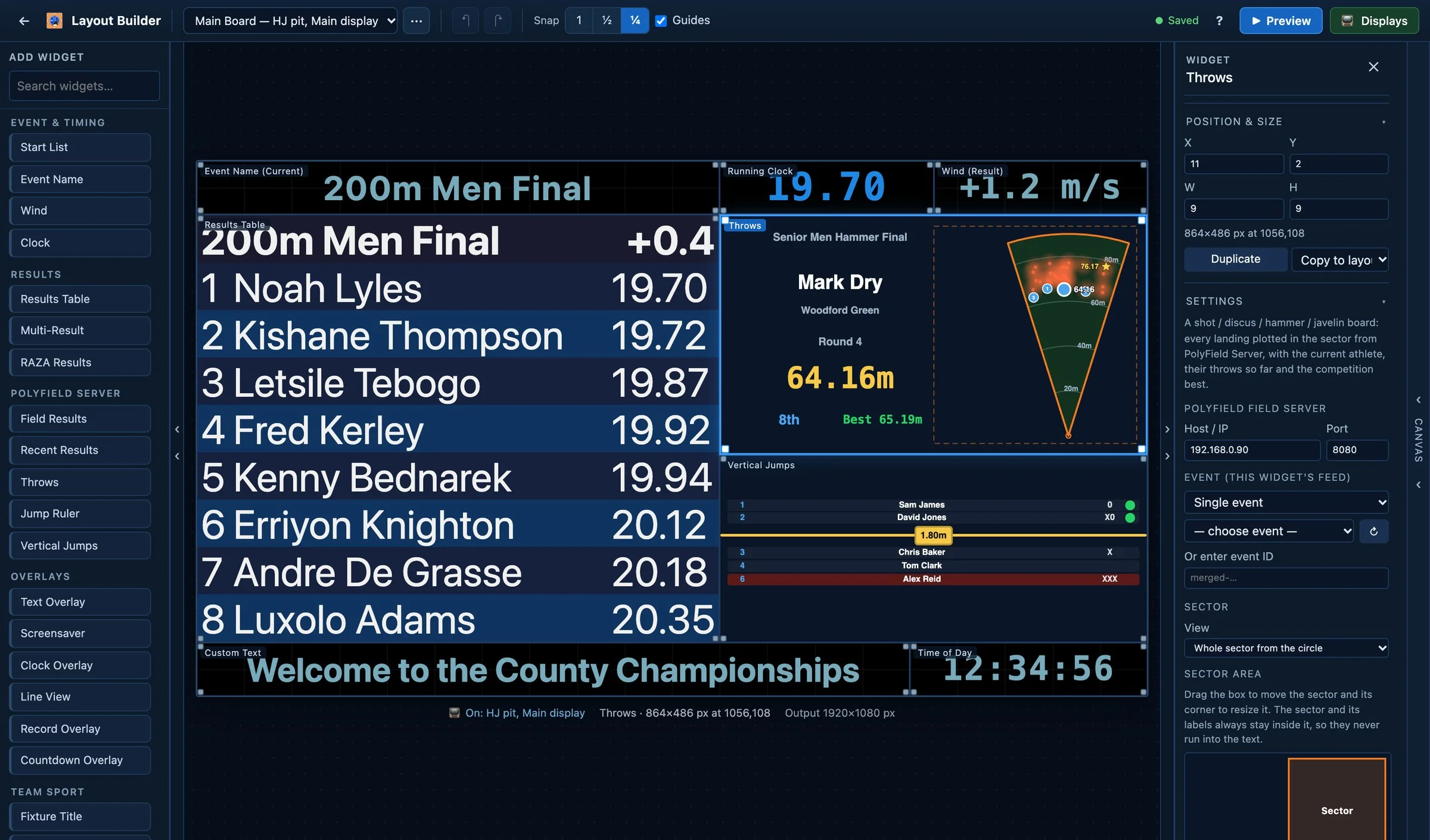
Design every display yourself, with drag and drop
A board for each screen, checked with live data and sent to the screens from one place. Works with any shape of screen: wide LED strips, 3:1 scoreboards, portrait panels and multi-panel walls.
-
Start from a template
Results, start list and clock, big clock, high jump, long jump ruler, throws sector and team sport boards, ready to go.
-
Drag, snap and align
Widgets line up with guides, and every change can be undone. Keyboard shortcuts cover moving, resizing and copying.
-
Preview with live data
See the board at the screen's real resolution, with live meet data, before it goes up.
-
Tick to put it on screen
Choose which screens show each layout: finish line, pits, main scoreboard.
With PolyField Server
Field events on the big screen too
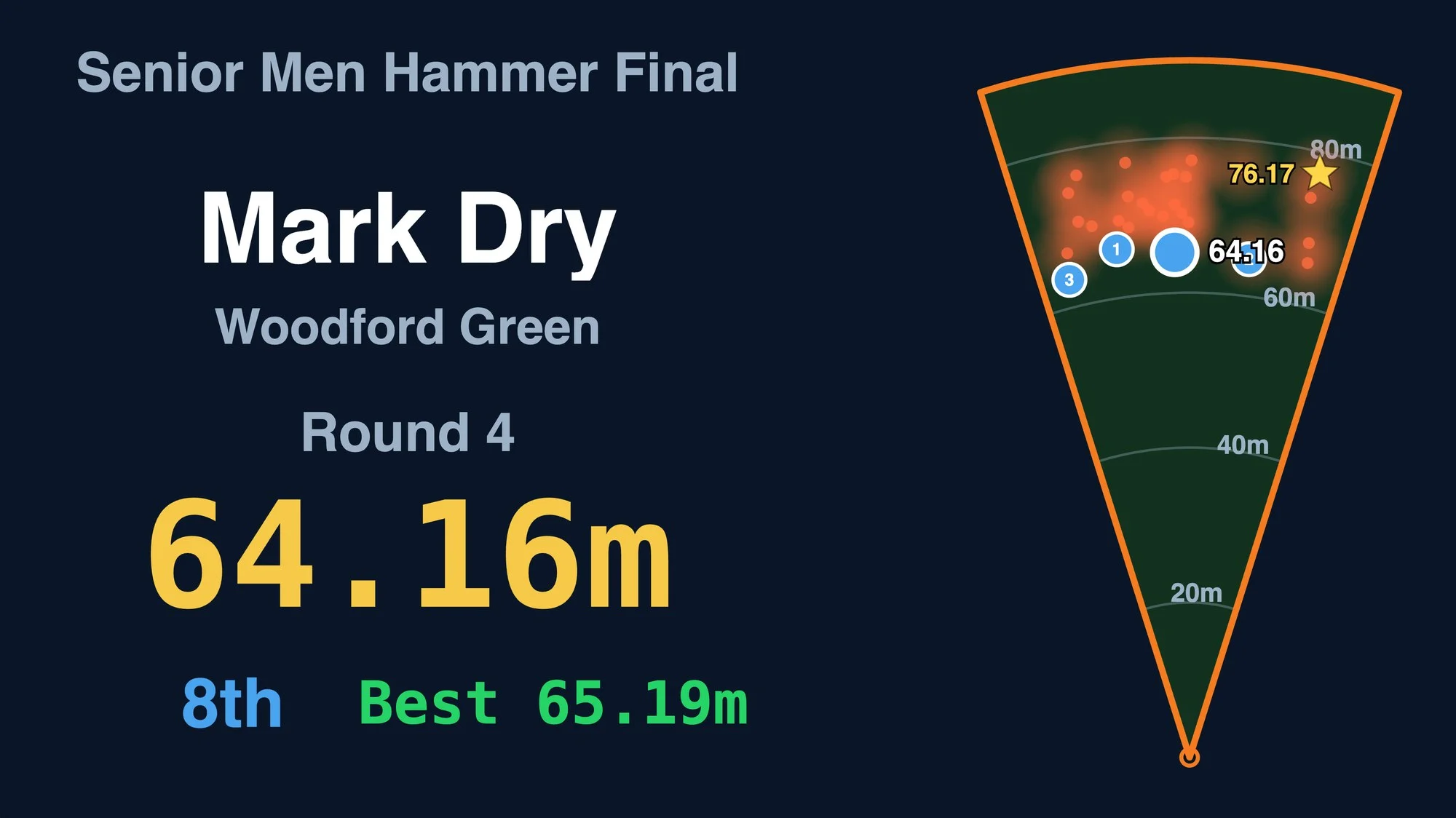
Connect PolyField Server and the field events join the track on every screen, seconds after each attempt is confirmed.
- Throws: every landing in the sector, with a NEW BEST banner
- High jump and pole vault: the bar, every attempt and who is still in
- Long and triple jump: a ruler anchored to the pit
- Displays follow the day's programme and move on to the next event by themselves
Views and layouts
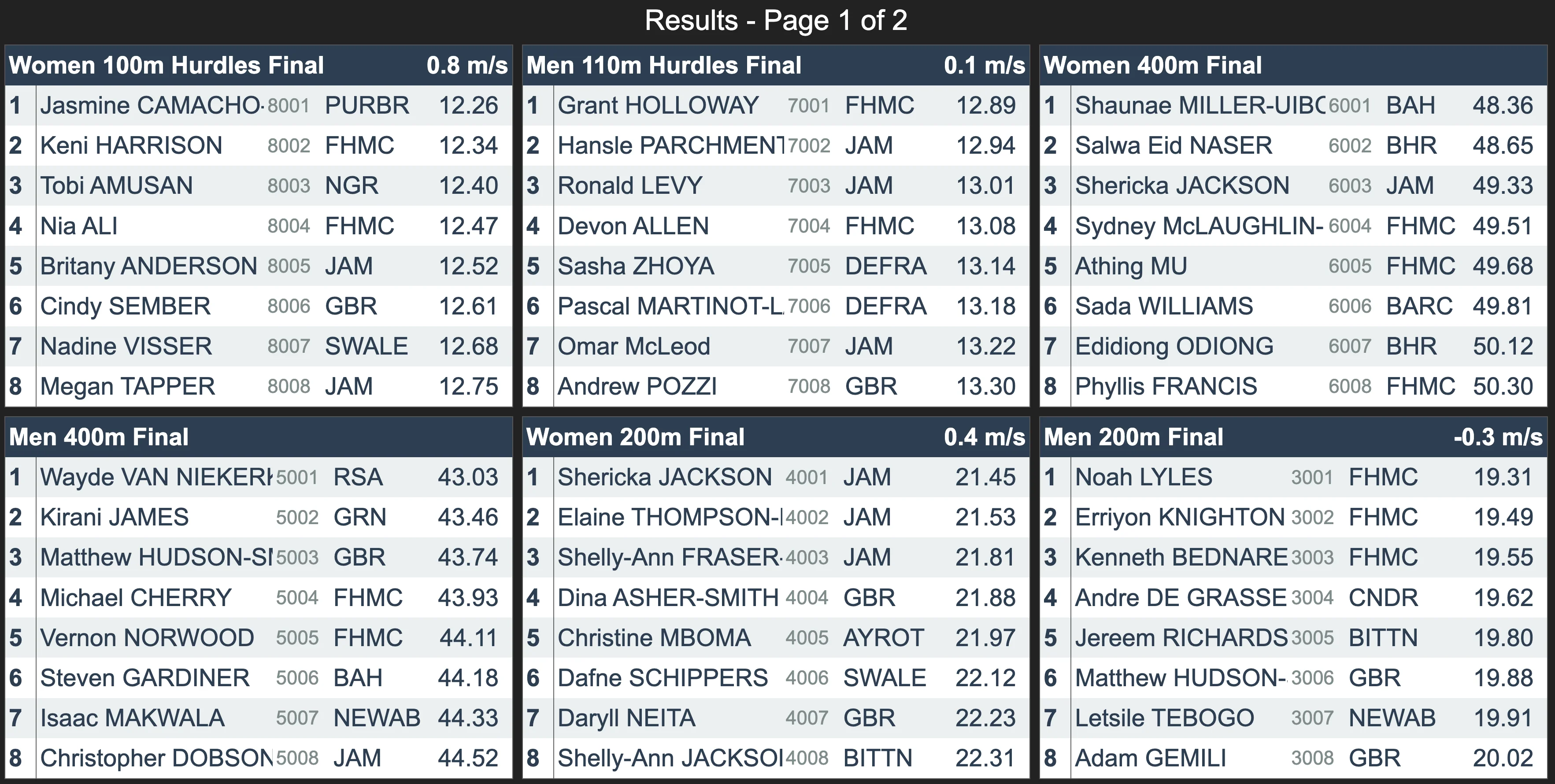
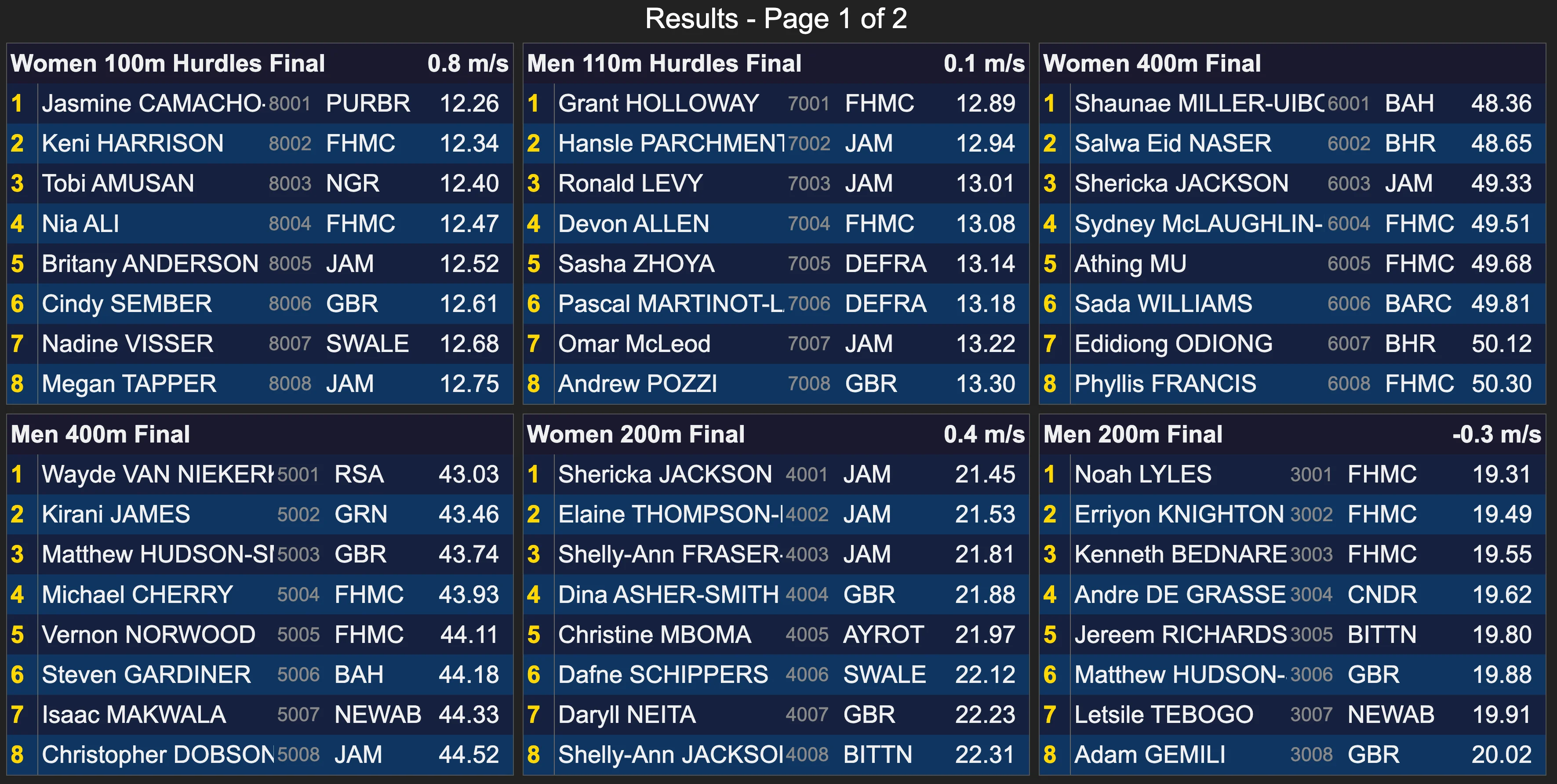
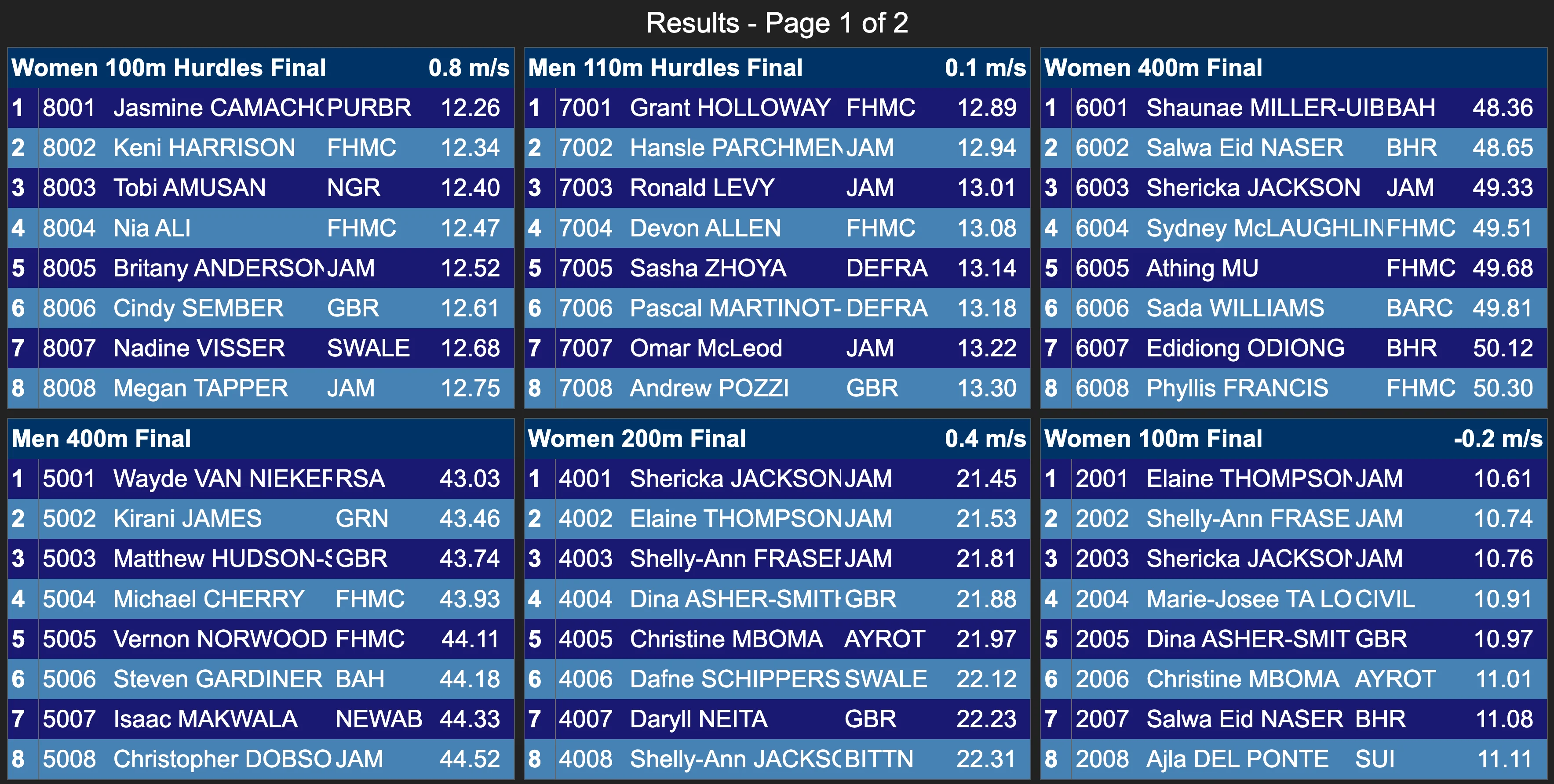
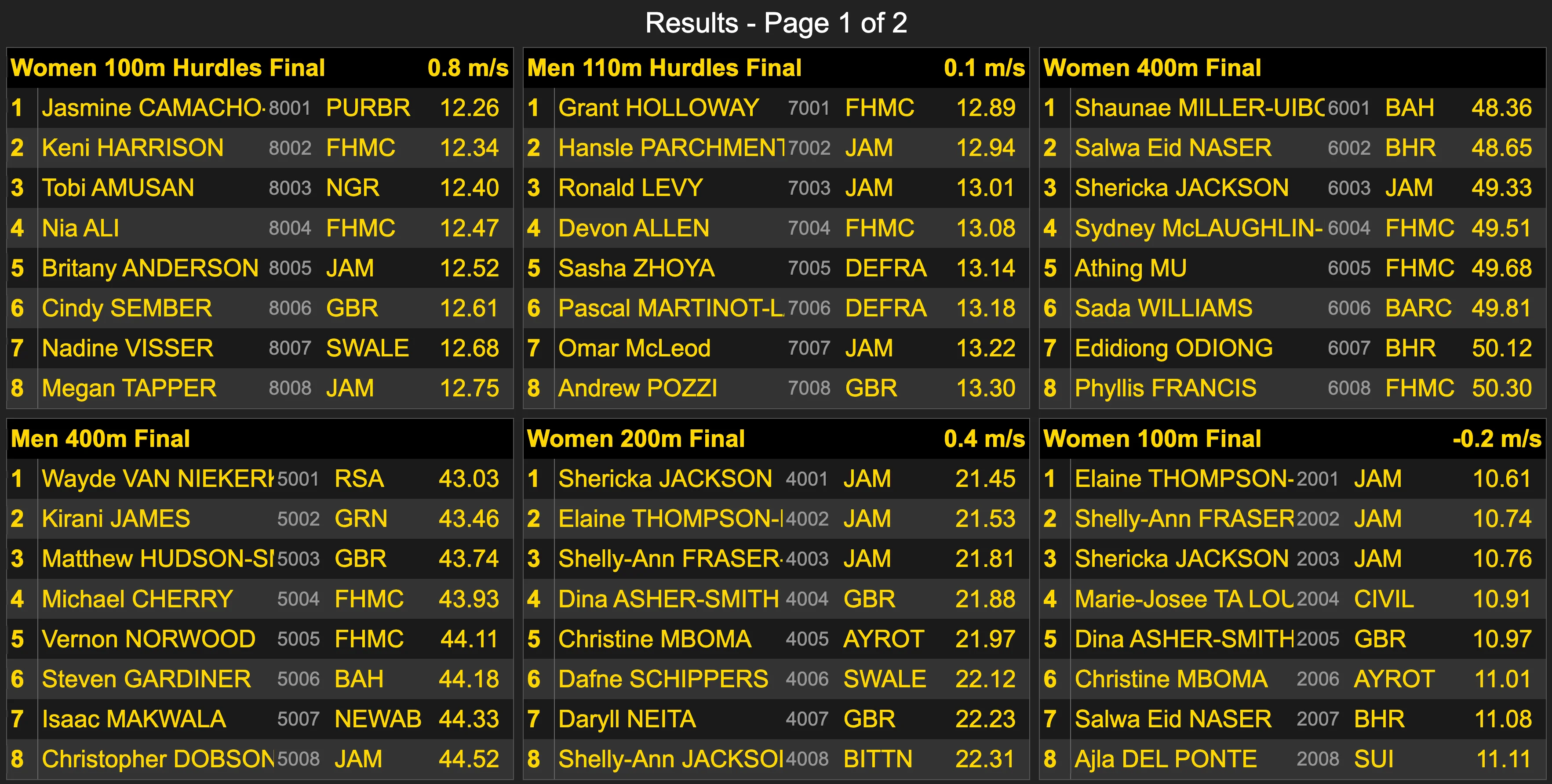
- Show a single table, or several in a 2×2 or 3×2 grid.
- Show the latest results, or rotate through all results page by page.
- Start from one of four colour schemes, then customise them to whatever colours you like.
- Manage club abbreviations in one place for every screen.
-
View 1 -
View 2 -
View 3 -
View 4
More than results
Athlete kiosk
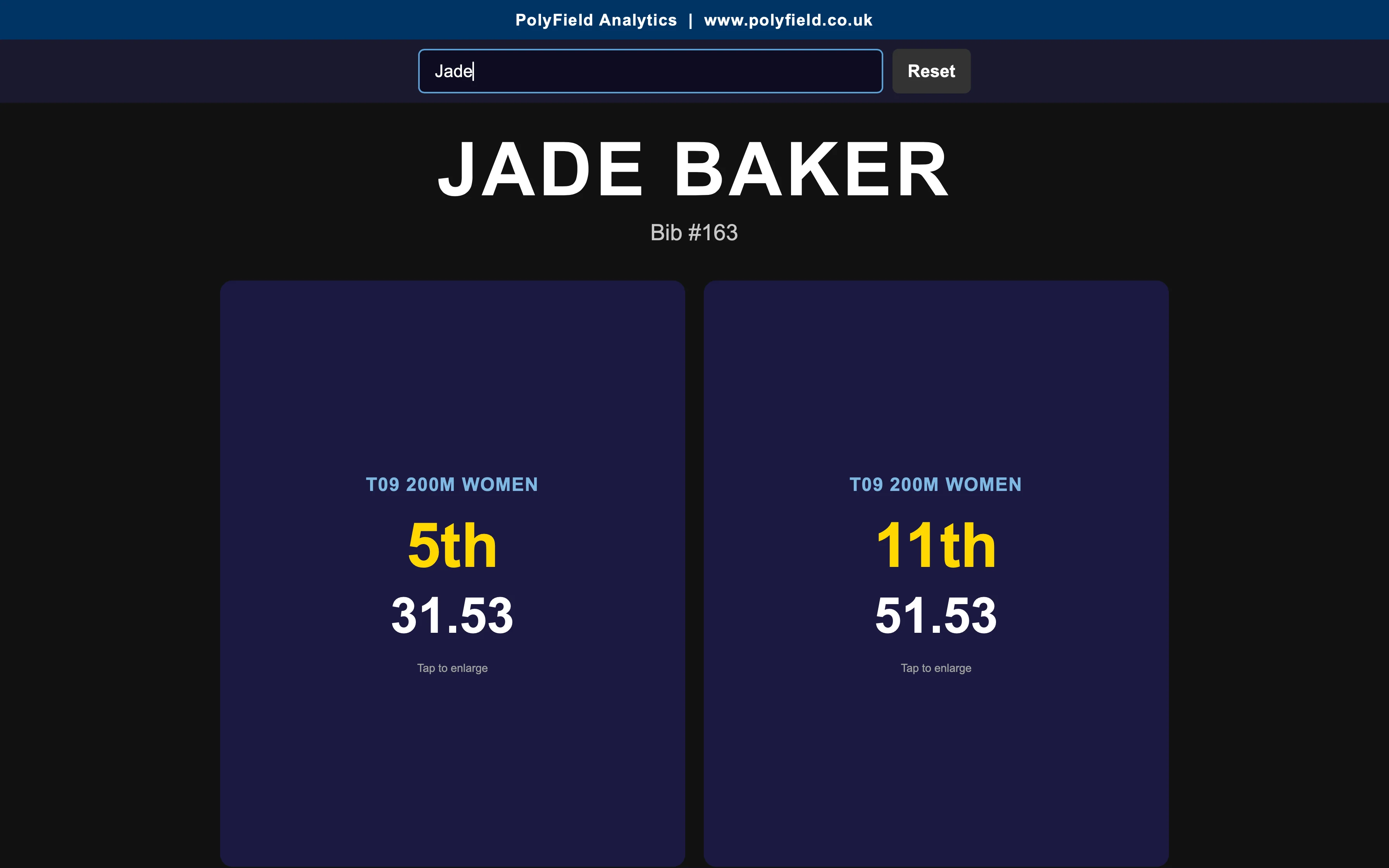
Want a unique photo opportunity? Set up a screen where athletes search by name or bib number, see all their performances from the day, and show any result full-screen for a photo.
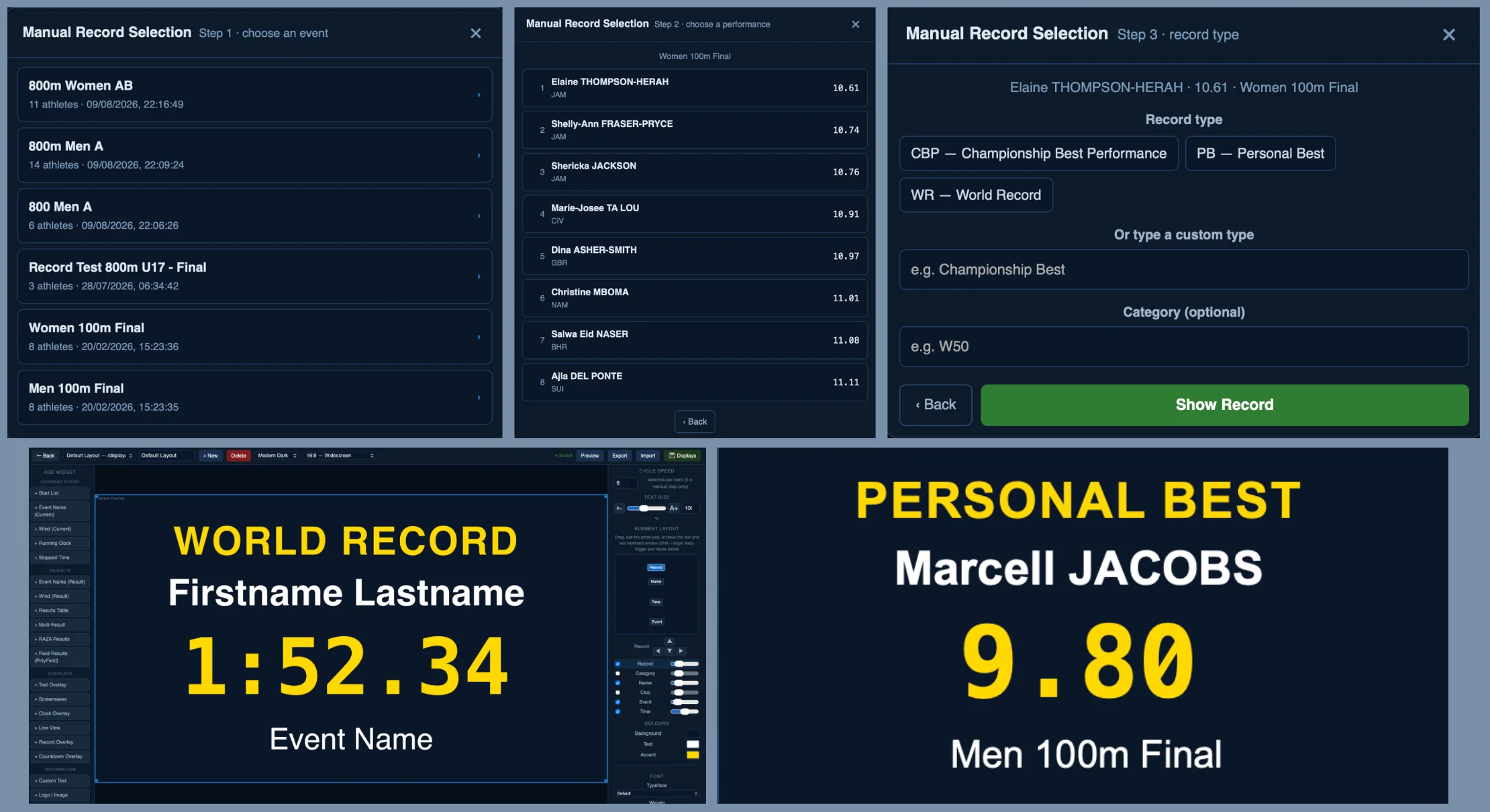
Records and personal bests
Flag a record or PB in FinishLynx, or pick a result by hand, and show a celebratory card with the athlete, event, club and time.
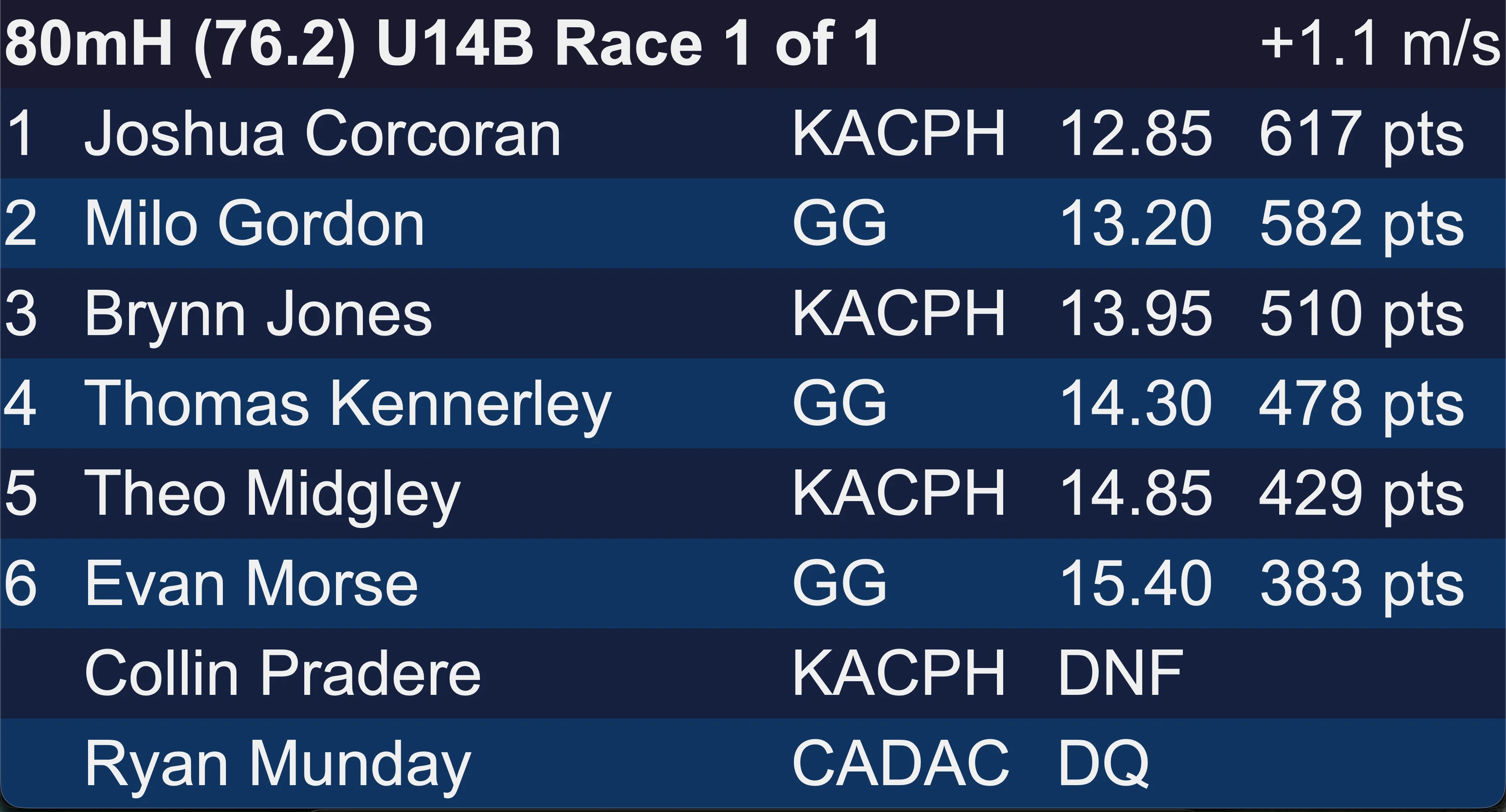
Combined events points
Show points for each track performance from the official 2026 UKA/ESAA Combined Events Score Tables. The right table is picked automatically from the event name, for every age group from U13 to Masters.
Statistics and speed graphics
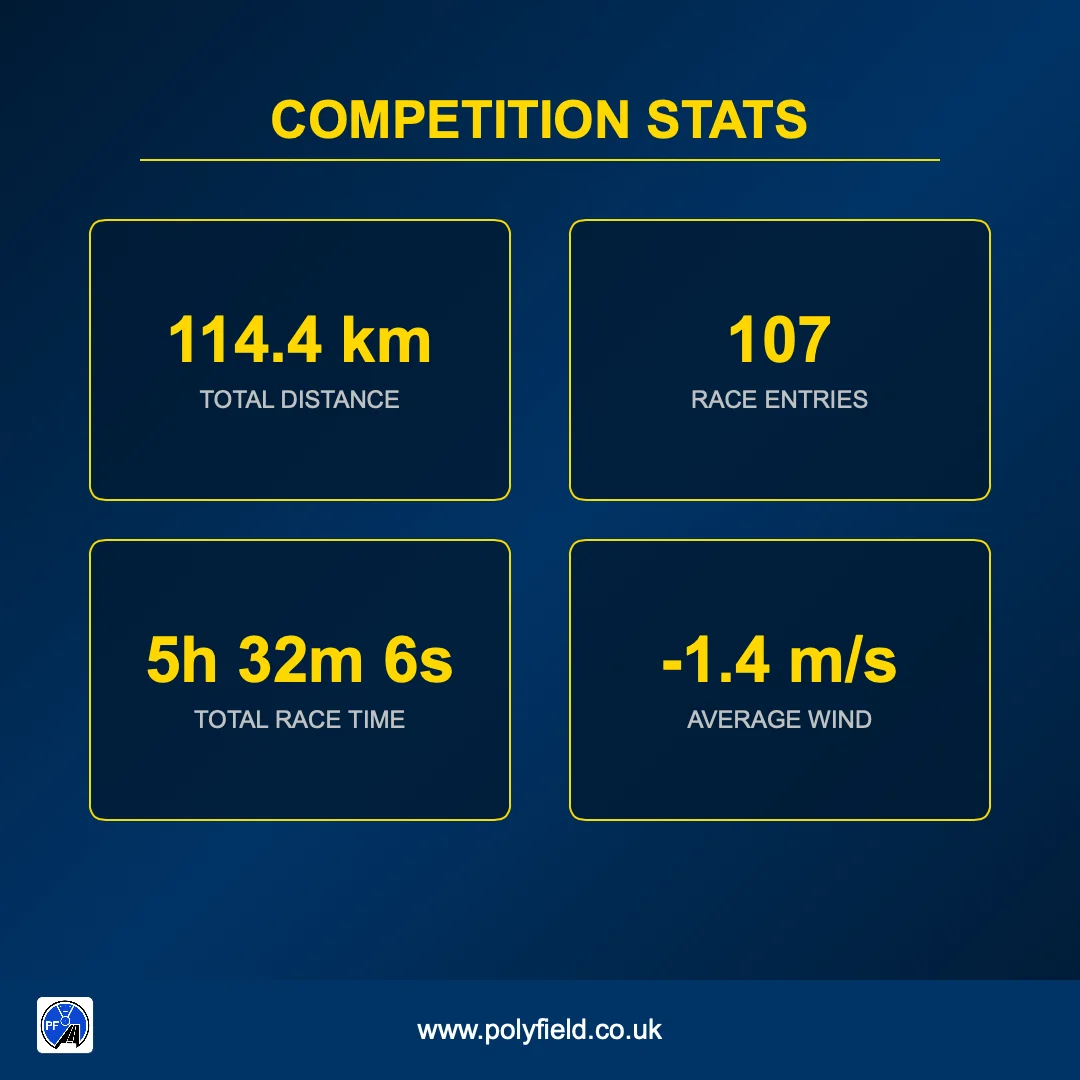
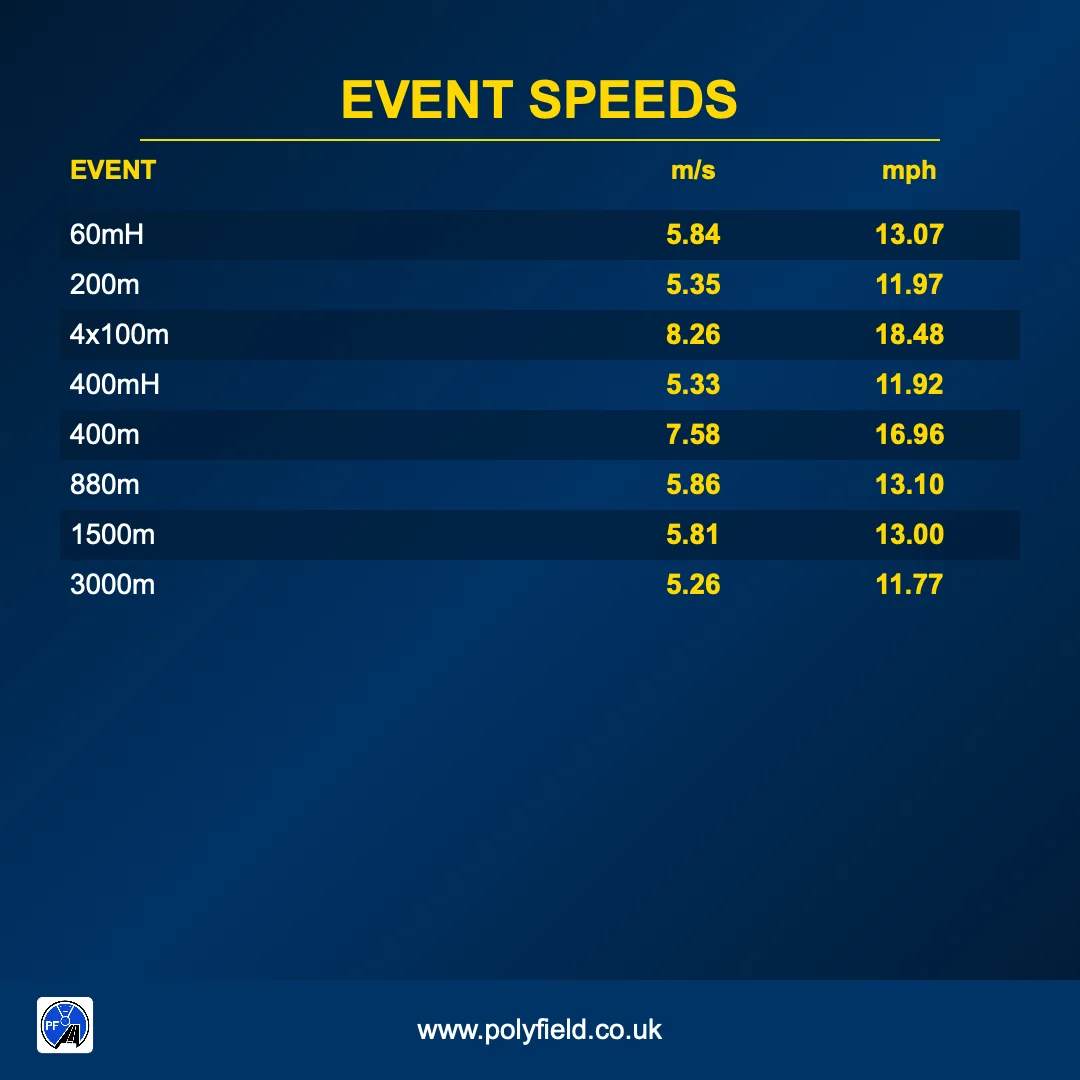
PolyField & Track Displays scans the results folder and creates social-media-ready graphics: total distance, total athletes, total race time and average wind. It sorts every result file and calculates an average speed for each distance.
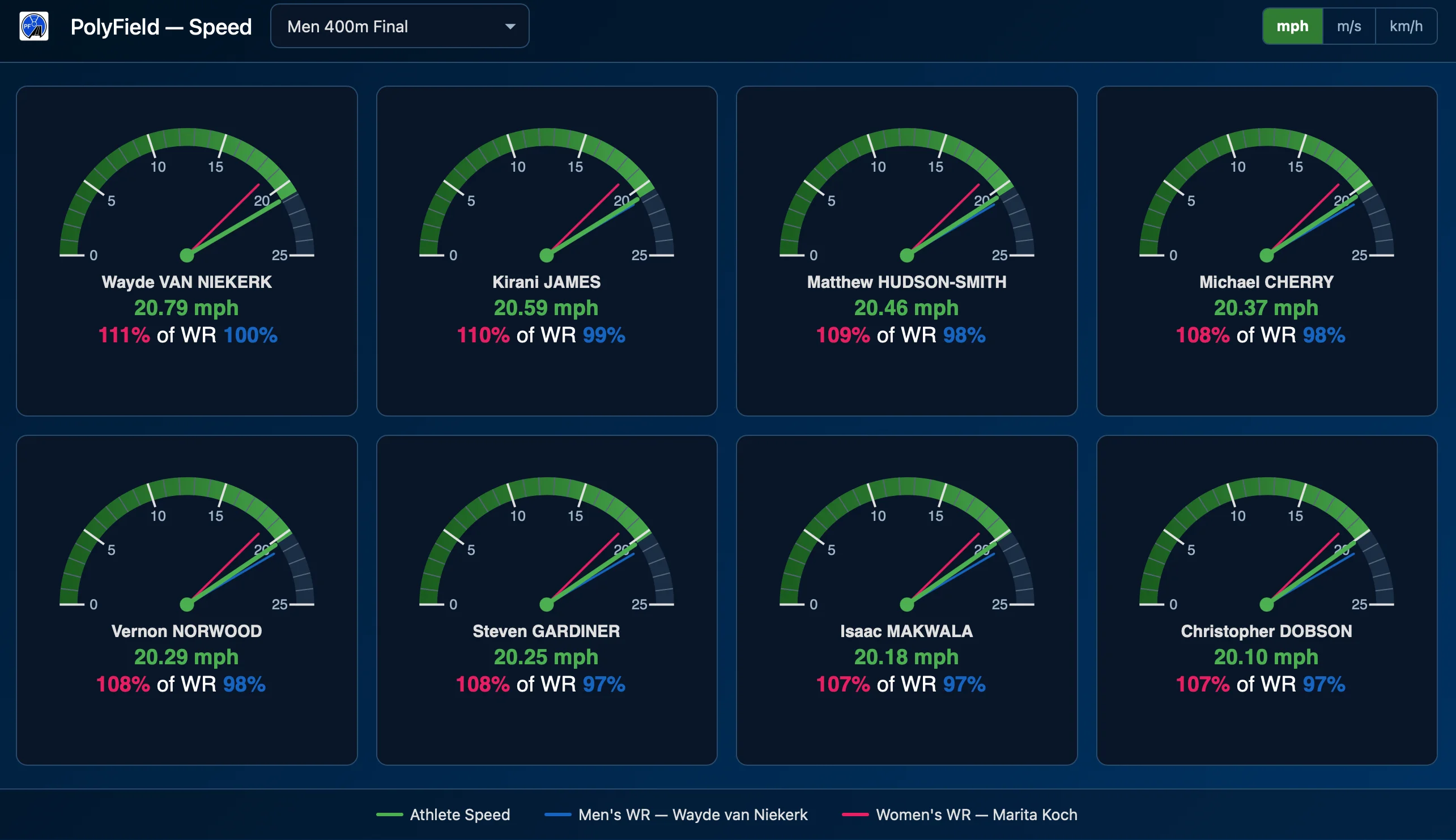
Percentage of world record
View every race as a percentage of the men's and women's world records on a web display. Show speed in miles per hour, metres per second or kilometres per hour. Each athlete's speedometer compares their average race speed with world record pace.
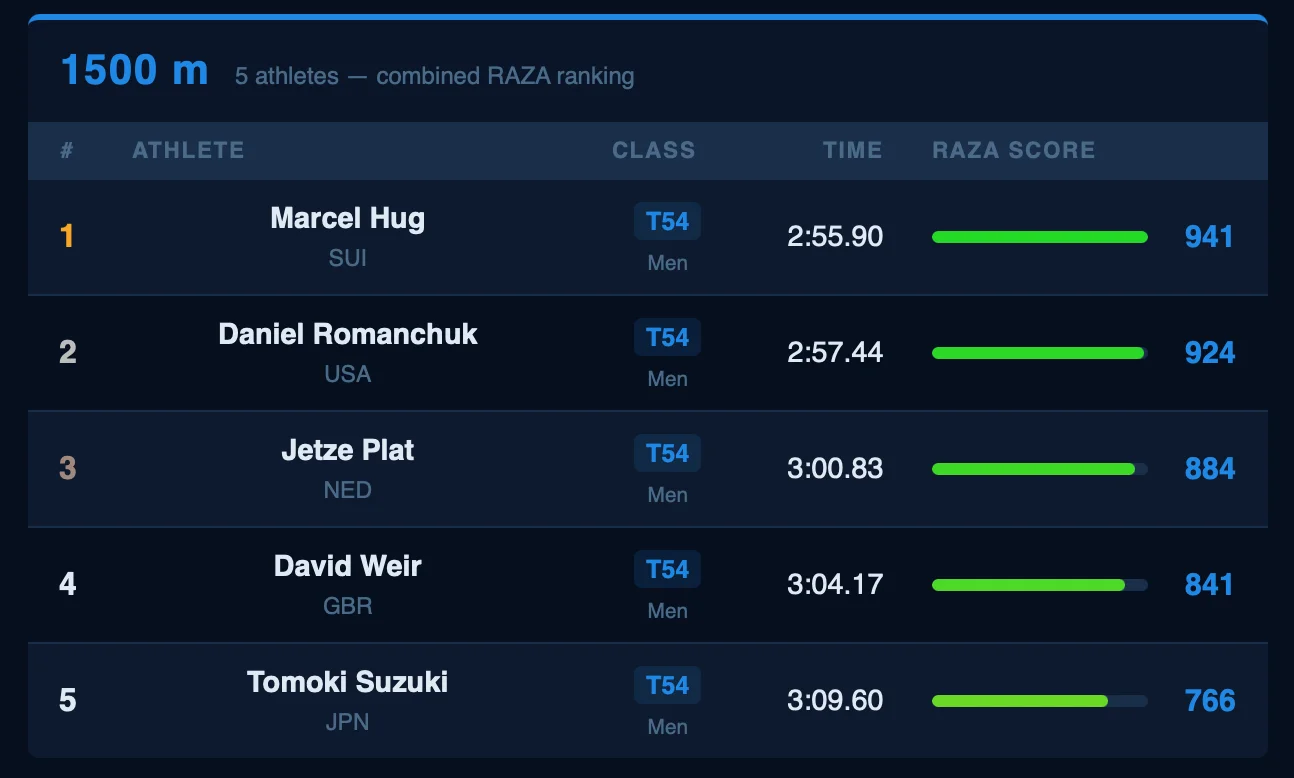
RAZA scoring
PolyField & Track Displays doesn't just record times, it levels the playing field. Built-in RAZA point scoring lets live leaderboards calculate performances across all para classifications, giving an instant, fair ranking for every athlete on the track.
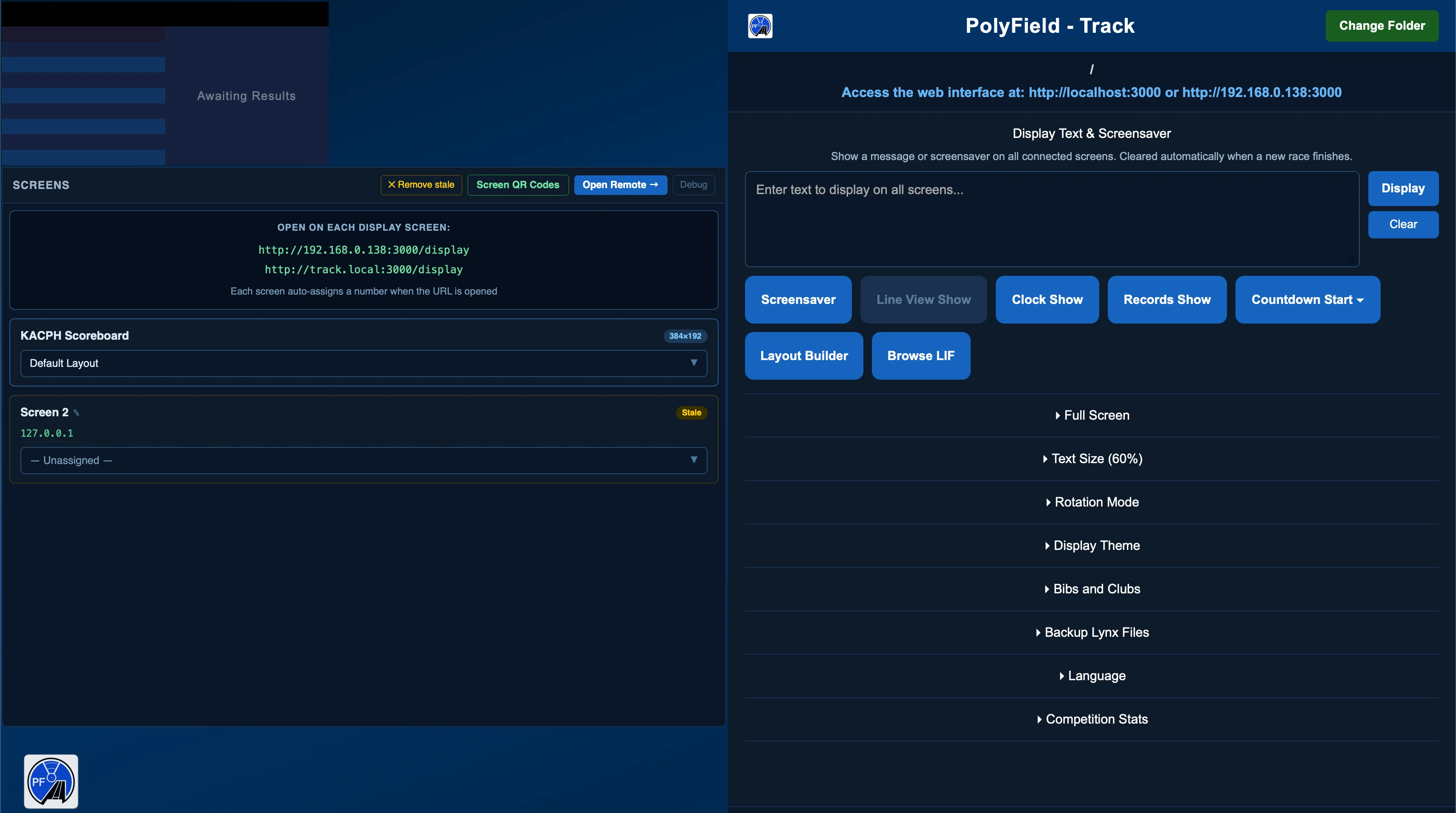
Accessible interface
The dashboard is clear and simple, controls every attached screen, and meets WCAG 2.2 AA.
Set up in three steps
Install
On any Windows or Mac computer.
Link
Point it at your results folder.
Relax
Results appear hands-free as you save each race.
Network requirements
- A network of its own. Run PolyField on a dedicated network, separate from any guest or public Wi-Fi at the stadium.
- Devices must see each other. The network can't isolate devices (often called client or AP isolation) or split them into separate segments. App devices talk to PolyField Server, and screens talk to PolyField & Track Displays or Server, directly over the local network.
- Internet is optional. PolyField Server only needs it to link with your competition management system. PolyField & Track Displays never needs it.
Join the athletics tech revolution
Ready to stay ahead of your competition? Download the free App and get started.